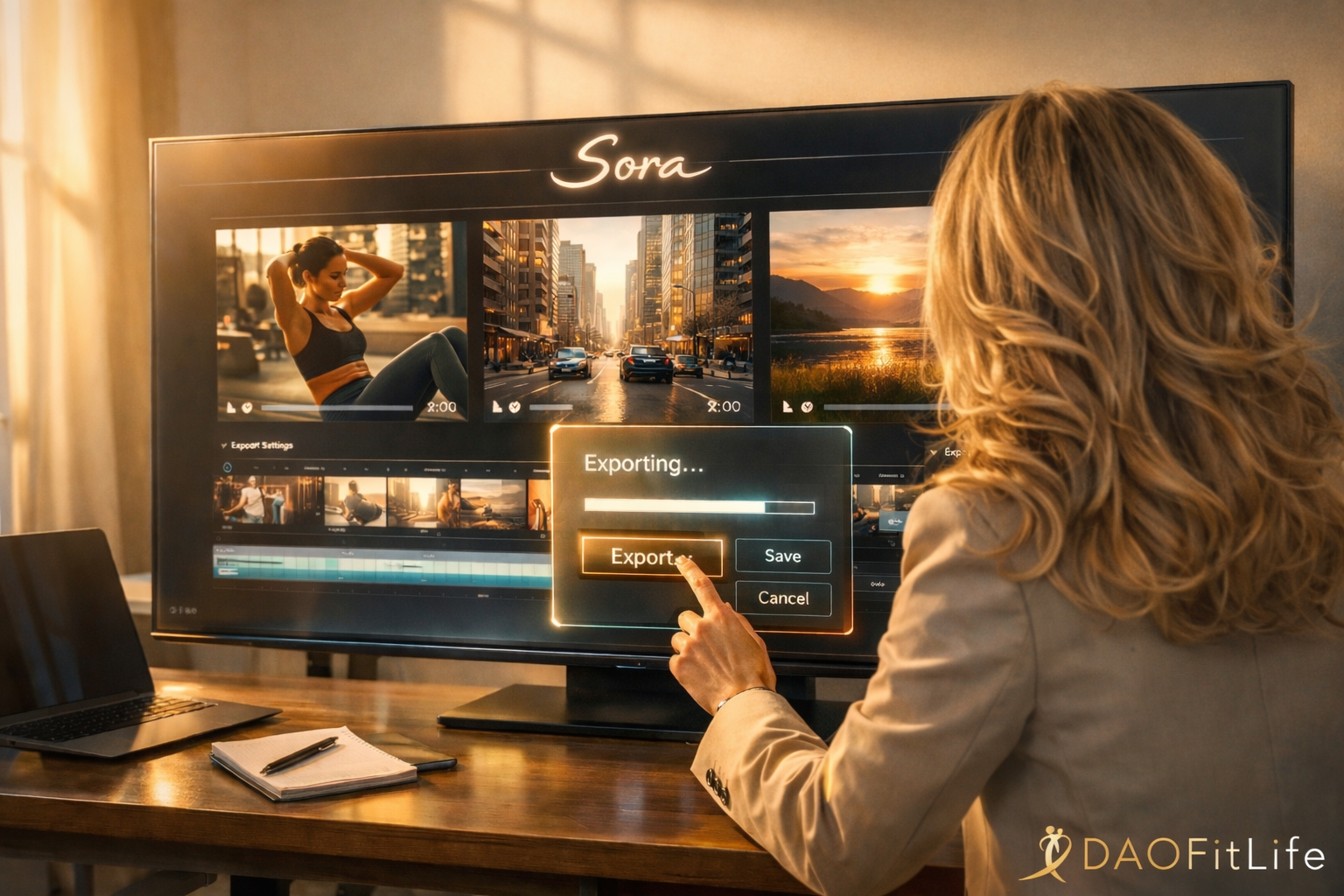
As many of you know, the departure of Sora from the market left a void in the creative landscape. For those of us balancing high-stakes careers with a commitment to fitness and lifestyle branding, Sora wasn’t just a toy—it was a high-efficiency tool for generating “dreamlike” likenesses with minimal friction.
But in a post-Sora world, the goal isn’t to find a single “god-tier” replacement. It is to build a Video Stack: a diversified portfolio of AI tools that function as your 24/7 production team.
The Executive Video Stack: Who Does What Best
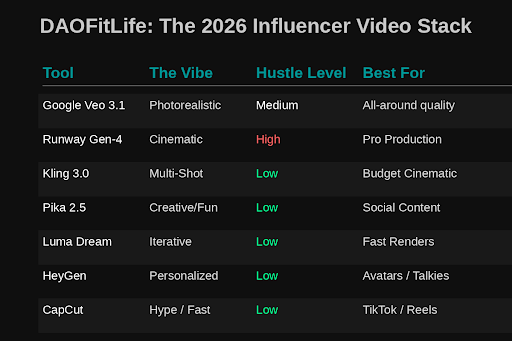
If you are treating your personal brand with the same rigor as your business, you need specialized tools for specific outcomes. Here is the 2026 breakdown:
1. Google Veo (Veo 3.1) — The All-Around Engine
If you are just getting started with AI video creation, Google Veo is one of the best places to begin because it is already embedded inside a larger generative AI ecosystem that many professionals are already using. The integration makes the workflow feel more intuitive, lowers the learning curve, and allows you to move from idea to execution much faster than jumping directly into more fragmented creative platforms.
Veo is currently the most balanced platform for high-end output, particularly because of its native environmental audio.
Executive Use Case: A “one-stop” solution for high-quality content when you don’t have time to bounce between multiple apps.
The Strength: Exceptional scene coherence and integrated soundscapes.
2. Luma AI (Dream Machine 2) — The Physics Engine
When credibility is on the line, physics matter. If you’re documenting a kettlebell flow or a sprinting interval, “glitchy” motion ruins the professional aesthetic.
- The Strength: Unmatched realism in lighting and physical weight.
- Executive Use Case: High-fidelity fitness demos where form and movement must look authoritative.
3. Runway (Gen-4) — The Cinematographer
Runway remains the gold standard for those who want a “Nike-level” campaign finish.
- The Strength: Precise camera control and consistent brand textures.
- Executive Use Case: Creating polished, cinematic brand trailers or “Business Class” lifestyle montages.
4. CapCut (AI Suite) — The Production Assistant
In 2026, CapCut is no longer just an editor; it is a workflow layer that utilizes AI to handle the “boring” parts of production.
- The Strength: Auto-cuts, script-to-video sequencing, and rapid exports.
- Executive Use Case: Turning raw AI generations into a publishable Reel or LinkedIn video in under five minutes.
The “Hidden Layer”: Infrastructure for the Tech-Forward Creator
Beyond the apps is a layer of AI infrastructure that separates the amateurs from the power users. If you want to understand the “engine room” of digital content, keep these names on your radar:
- FAL AI: The favorite for high-speed rendering. It’s why some workflows feel instantaneous while others lag.
- Hugging Face: The open-source library where the next generation of video models are born before they ever hit the “mainstream” apps.
- Replicate: A platform that allows for rapid experimentation with cutting-edge models without requiring a background in computer science.
Canva Executive Polish Routine
One of the biggest mistakes beginners make with AI video is assuming they need to completely re-prompt a generation every time something minor looks off. In reality, platforms like Canva are incredibly useful because they let you quickly polish and repair imperfections—cropping awkward frames, adjusting timing, adding music, cleaning up overlays, improving transitions, or refining branding—without burning through additional AI credits or spending hours rewriting prompts. Think of Canva as the executive finishing layer: the place where raw AI generation becomes polished, platform-ready content.
To maintain a premium brand, apply these three “Force Multipliers” to every export:
- The 1% Trim: Most AI glitches occur in the first or last few frames. Trim 0.5 seconds off each end in CapCut to ensure only the stable “gold” remains.
- The Cinematic Grain: AI output can sometimes look too “plastic.” Adding a subtle 3–5% film grain masks the digital texture and gives the footage a high-end, analog feel.
- Strategic Stabilizing: Use “Auto-Stabilize” at a 103% crop. This locks the frame and makes the motion feel like it was shot by a professional videographer on a gimbal.
Final Takeaways for the Digital Leader
- Diversify Your Assets: Never let your digital presence depend on a single platform. Maintain a “Digital Soul” vault of high-res exports on your own hardware.
- Leverage, Don’t Decorate: Use AI to automate the manual labor of editing so you can focus on the strategy and storytelling that only a human can provide.
- Quality is the Only Metric: In a world of infinite content, the “Human Edge” is your taste. Audit every frame for glitches before it reaches your audience.
Related Reading: Check out my book, Business Class Fitness, for more strategies on optimizing your health and digital presence while navigating a high-speed career.But Sora is gone. So now what?
And here is my goodbye tribute to Sora…I sure hope you come back.